
Piano Fire 2: Slide Challenge
Adaric MusicMusic
4.6326.00 Reviews
- Version
- 10.0.103
- Installs
- 50.00M
- Age Rating
- Everyone 10+
Screenshots
Our Review of Piano Fire 2: Slide Challenge
 Analysis by Appyee
I like rhythm games best when they’re easy to start but still ask me to pay attention, and that’s the appeal of Piano Fire 2: Slide Challenge. It is a free music game from Adaric Music, built around reacting to tiles in time with songs rather than learning piano technique. I’d treat it as a quick, lively game for a spare moment, not as a substitute for playing an instrument or a music-learning app.
What the current version offers
The game is currently at version 1.0.88, and it has been available since June 13, 2024. That gives players a concrete sense of its release history, but a version number alone does not tell me exactly which features changed between releases. I’d judge it by the experience available now: a tile-based rhythm challenge, a varied musical direction, and a free-to-start format with optional purchases.
Its audience is sizable: it has over 50 million installs and an average rating of 4.6 from around 78,000 ratings. Those figures suggest that the quick, accessible format has found plenty of players, though they can’t tell you whether the pace, song choices, or on-screen action will suit your own tastes. I’d use them as context, then decide based on the kind of rhythm game I actually want.
How the rhythm loop feels in practice
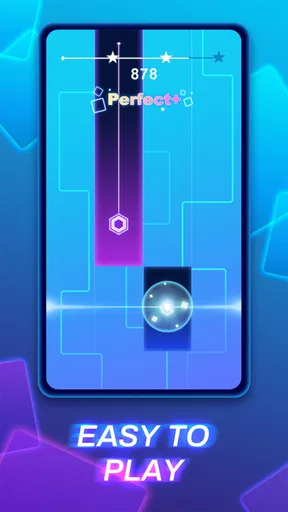
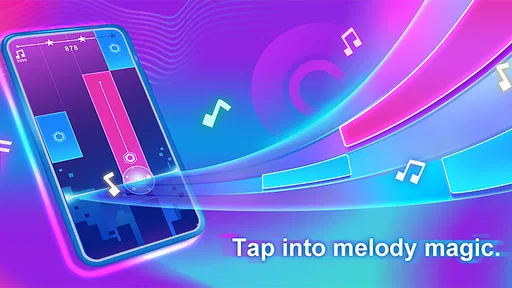
The central interaction is straightforward: follow the moving tiles and tap or slide in time. That makes it easy to understand without a long tutorial, while faster passages create the challenge. In my experience, this kind of design works well in short bursts because I can focus on one song and feel the difference between an untidy run and a more controlled one.
It is important to set the right expectation, though. The game asks for timing and coordination; it does not teach music theory, reading notation, or piano fingering. If your goal is to build a real keyboard skill, a structured lesson app or an actual instrument will be more useful. If you want a music-led reflex game that feels satisfying when your timing clicks, this is much closer to the mark.
Song variety, difficulty, and repeat play
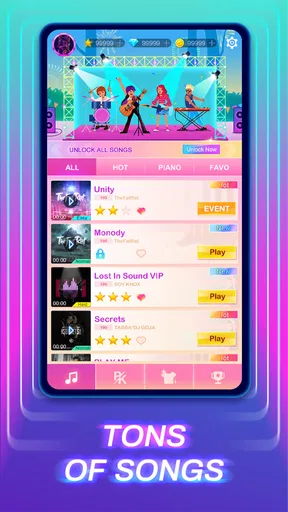
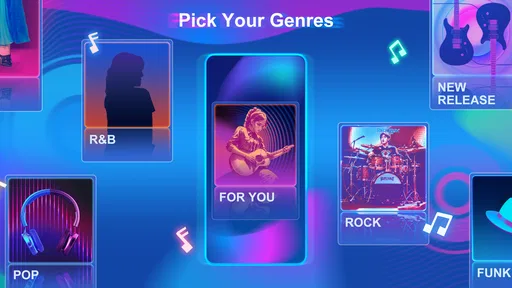
The music spans pop, EDM, and other styles rather than staying with classical piano pieces. That variety can help the game feel less samey, especially if you like switching moods. Song availability is still a matter of personal taste: a broad selection does not guarantee that your favorite artist or track is included, so I would not choose it solely on the hope of finding a particular song.
Different difficulty levels give newcomers a gentler entry and let experienced rhythm-game players seek a tougher test. A useful approach is to start below your maximum comfort level, learn how a track’s visual rhythm behaves, and then step up. When a run goes badly, repeating the same song immediately can be satisfying, but taking a short pause may help more than tapping faster and hoping the sequence settles down.
Where it fits in a normal day
I can see this working during a short break when I want something more engaging than scrolling but don’t have time to settle into a long game. One practical routine is to choose a song, play it once without worrying about a score, then try again with attention on the sections that caused trouble. That turns a spare few minutes into a small, clear challenge without requiring a lengthy session.
The trade-off is that a rhythm game needs your attention at the exact moment you play. It is not a good choice while walking through traffic, doing another task that needs your eyes, or trying to relax with minimal interaction. The quick format is convenient, but the tile patterns and timing make it a poor background activity.
The Gameplay Vibes
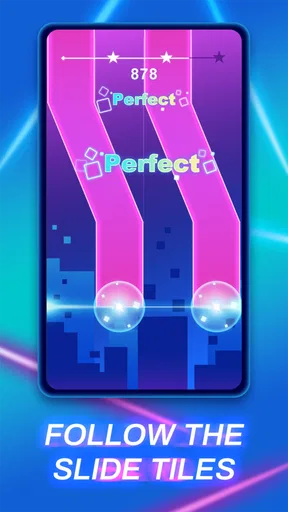
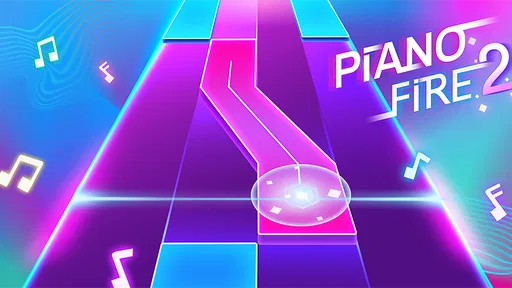
At first glance, Piano Fire 2: Slide Challenge might remind you of other rhythm games, but it quickly establishes its own identity. The basic premise is simple: you slide your fingers across the screen to hit the tiles in time with the music. But don't be fooled by its simplicity. As you progress, the pace quickens, and your reflexes are put to the test.
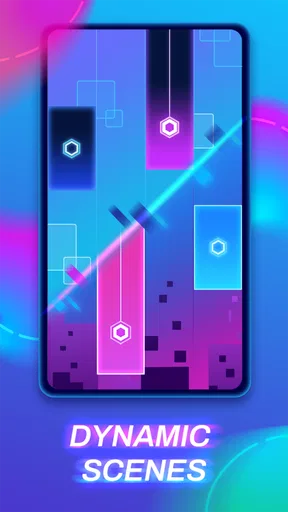
The game offers a wide variety of songs, and it’s not just limited to classical piano tunes. You get a mix of pop, EDM, and more, which keeps things fresh and exciting. The graphics are vibrant, with tiles that light up in sync with the rhythm, creating a visually pleasing experience.
Features That Hit the Right Note
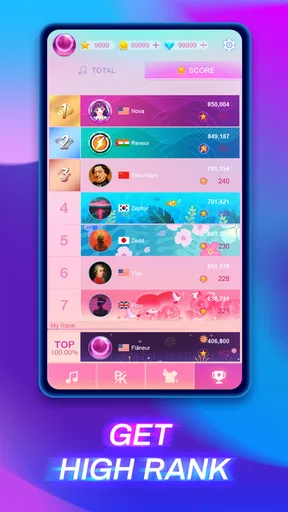
One of the standout features is the song library. It's regularly updated, so you're always discovering new tracks to play. There's also a leaderboard feature, which adds a competitive edge. You can challenge friends or aim for the top spot globally, which is a great motivator to keep improving your skills.
The game controls are intuitive, making it easy for beginners to pick up and play. However, mastering the game takes time, and that's where its charm lies. Each song has multiple difficulty levels, so you can start slow and work your way up to becoming a piano master.
Features that change how I play
Leaderboards give a song another purpose after I have learned its rhythm: instead of merely completing a run, I can return to improve my result or compare progress with friends. That competitive layer is optional in spirit, even if it can be tempting to chase a better placement. I’d keep it as a personal target rather than letting a ranking turn every session into a score test.
A small but useful habit is to separate learning a pattern from trying to beat a score. On the first attempt, I can watch where the fast transitions happen; on the next, I can concentrate on staying steady through those spots. This is a more reliable way to improve than treating every miss as a cue to rush. The visual effects make the play feel lively, but when the screen is busy, keeping my eyes on the tile path matters more than admiring the animation.
Why You’ll Keep Coming Back
What keeps me hooked is the combination of challenge and relaxation. There’s something incredibly satisfying about nailing a complex sequence of notes, especially after multiple attempts. The game’s soundtrack is another reason I keep returning. It's like having a mini concert at your fingertips, and who doesn’t love a good tune?
The app also has a daily challenge feature, offering new goals every day. It’s a fantastic way to keep the gameplay engaging, and it often prompts me to explore songs I might not have tried otherwise.
How it compares with other music games
Compared with a conventional piano-learning app, this is much more about immediate reaction than gradual instruction. Compared with music games that focus on matching a beat with a simpler input, the sliding tile interaction asks for more active finger movement. That makes it appealing when I want a hands-on challenge, but less suitable if I prefer a calm listening experience or a game that leaves more attention free for conversation.
It also differs from music streaming: the point is not simply to choose a track and listen, but to follow its game pattern. If I want full control over what plays, or a particular recording, a music player is the better fit. Here, the appeal comes from turning a song into a task. That distinction is worth knowing before installing, especially if the word “music” makes you expect a player or a lesson tool.
Free to start, with a few practical checks
The game is free to download, but it includes in-app purchases priced from $2.99 to $19.99 per item. I’d start without buying anything and see whether I enjoy the core rhythm loop first. Before making a purchase, check what the specific item offers and whether it solves a real annoyance for you; the price range alone is not a reason to spend, and an optional purchase should fit your own play habits.
It is rated Everyone 10+ and requires Android 6.0 or later. Those details matter if you are checking whether it suits a younger player or an older phone. For a child, I’d still look over the purchase settings together, since free-to-play games can make optional spending part of the experience. On an older device, I’d also try a short session before relying on it for a long run, because rhythm play is especially sensitive to interruptions or sluggish response.
Room for Improvement
While I’m thoroughly enjoying the game, there are a few areas that could use some tweaking. Occasionally, the app might lag on older devices, which can be frustrating during a high-stakes song. Also, while the song selection is vast, there are some popular tracks missing that I hoped to see.
The ads can be a bit intrusive, especially if you’re in the zone. However, there is an option to remove them with a small fee, which might be worth it if you become a regular player.
Who may want a different kind of game
I would skip this if I mainly want to learn piano, listen to a chosen playlist, or play something that does not demand precise timing. The game’s fast sections can also be a poor match if repeated visual movement is uncomfortable for you. Someone who enjoys chasing patterns and replaying a difficult passage is more likely to find it rewarding than someone who prefers open-ended play with no score or time pressure.
For anyone unsure about the fit, I’d sample a few different songs and difficulties before deciding. If the basic movement feels good but a particular track is too intense, a lower difficulty may make the experience more enjoyable. If even the gentler songs feel like work, that is a useful sign that a slower music game or a listening app would be a better choice.
What I’d keep an eye on
Because the game has a current version and a release history, returning players may wonder whether it will keep changing. The confirmed facts establish that it has reached version 1.0.88, while the experience I can assess is the current one; I would not assume a specific future feature or update schedule. For a regular player, the practical things to watch are whether the songs they enjoy remain available, whether the game continues to feel responsive on their device, and whether its optional spending and ad interruptions remain acceptable.
For someone installing it now, there is no need to wait for a promised change to enjoy the core idea. Try the free experience, see how the tile timing feels on your phone, and decide whether the available music gives you enough reason to return. If you already play rhythm games, the familiar goal of hitting notes in time is easy to grasp; the sliding interaction and song mix are the parts to judge for yourself.
Wrapping Up the Melody
All in all, Piano Fire 2: Slide Challenge is a delightful app that offers both entertainment and a bit of a mental workout. Whether you're a music enthusiast, a gaming fan, or someone looking for a fun way to pass the time, this app has something for you.
With its ever-expanding song list, engaging gameplay, and beautiful visuals, it’s easy to see why it’s attracting so many players. So, if you haven't already, give it a whirl and see if you can keep up with the beat. It might just become your next favorite pastime!
My recommendation
I’d recommend giving it a try if you want a free, short-session rhythm game and enjoy testing your timing against pop and electronic tracks. The strongest reason to stay is the simple loop of learning a sequence and feeling a cleaner run come together; the clearest reasons to leave are ads, a missing favorite song, or a device that struggles to keep play smooth.
For me, the best way to approach it is with modest expectations: it is a game first, not a piano course, music library, or guaranteed catalogue of specific hits. If that sounds like what you want, the mix of accessible controls, escalating challenge, and competitive goals can make a spare break feel more focused. If not, a dedicated learning app, music player, or less demanding rhythm game will serve you better.
Privacy and Permissions
See what permissions an app requests and how it handles your data.
- Wi-Fi connection information
- view Wi-Fi connections
- Other
- view network connections, full network access, control vibration, prevent device from sleeping, Google Play license check
Verdict
Strengths of Piano Fire 2: Slide Challenge
- Engaging rhythm-based gameplay.
- Wide variety of popular songs.
- Visually appealing graphics.
- Responsive touch controls.
- Regular updates with new tracks.
Limitations of Piano Fire 2: Slide Challenge
- In-app purchases can be pricey.
- Ads can interrupt gameplay.
- Requires internet for some features.
- Limited offline play options.
- Some songs locked behind paywall.
Other Releases by Adaric Music
View All
Piano Fire: Edm Music & Piano
Music4.6

Beat Fire - Edm Gun Music Game
Music4.1
Similar Picks in This Category
View All
Tiles Hop Music & Ball Game
AMANOTES PTE. LTD.4.3

Magic Tiles 3™ - Piano Game
AMANOTES PTE. LTD.4.6

Real Piano
Bilkon3.7

Piano Game: Classic Music Song
Dream Tiles Piano Game Studio4.0

Smash Colors: Music Ball Rush
BADSNOWBALL HONGKONG LIMITED4.2

Piano Music Go-EDM Piano Games
Joy Journey Music Games4.5
Frequently Asked Questions
What is Piano Fire 2: Slide Challenge about?
Piano Fire 2: Slide Challenge is a rhythm-based music game where players tap on colorful tiles that slide along the screen in sync with popular songs. The game combines fast-paced action with vibrant visuals to create an engaging musical experience. Players can test their reflexes as they progress through increasingly challenging levels.
Is Piano Fire 2: Slide Challenge free to play?
Yes, Piano Fire 2: Slide Challenge is free to download and play. However, the app may offer in-app purchases for additional features, songs, or to remove ads. These purchases are optional, and players can enjoy the core gameplay without spending money. Be sure to manage in-app purchase settings on your device if needed.
What are the system requirements for Piano Fire 2: Slide Challenge?
Piano Fire 2: Slide Challenge is available for both Android and iOS devices. For optimal performance, it's recommended to have the latest operating system version installed. The game is lightweight, but a stable internet connection is recommended for downloading songs and accessing online features. Be sure to check compatibility with your device before downloading.
Can I play Piano Fire 2: Slide Challenge offline?
Piano Fire 2: Slide Challenge allows for offline play, but certain features, like downloading new songs or accessing leaderboards, require an internet connection. Playing offline is great for practicing and enjoying the songs already on your device. To get the most out of the game, occasional online access is beneficial.
How can I improve my skills in Piano Fire 2: Slide Challenge?
Improving your skills in Piano Fire 2: Slide Challenge involves practice and patience. Start with easier songs to get a feel for the rhythm and timing. Gradually increase the difficulty as you become more comfortable. Watching tutorials or gameplay videos can also provide helpful strategies. Consistent practice will lead to better precision and reflexes.
Play our best games!


